
4. Tasks for Timers
4.1 Equipment
You are responsible for the equipment. Therefore, you must check if everything is prepared correctly and will work on Race Day.
Use the following checklist as an assistance and stay in contact with the Race Control while checking the functionality of the equipment. This is necessary so they can confirm the online status of the controllers, leader devices and OBUs.
|
Check if race equipment of all black boxes is complete* |
|
|
15K: bring it online, check |
|
|
44K: bring it online, check |
|
|
OBU: update OBU if neccesary (racecontrol will tell you you need to update or not) |
|
|
check if the MiniTrack in the CCs is set to immediate mode (Press Menu, “3-3-2” and then press Menu to exit the Menu) |
|
|
Leader devices: data roaming active?, login and start tracking app as a test |
|
|
Call your supervisor with all number devices (<IOC>-1M-N & <IOC>-1F-N |
|
|
Check if equipment of local Red Bull Team is available: Roof racks, Toolkit to assemble, 2 CCs and drivers, 4 bikes and bikers |
|
|
If there are problems occurring with the equipment, contact your supervisor
|
|
There is a packing list in each black box lid to check the content!, if you cant find it ask racecontrol to send it to you
4.2 Communication with Race Control
You are going to be the first ones receiving information about changes or problems at preparations and during the race.
If something extraordinary or not according to the plan occurs, please contact Race Control immediately!
Also remember to contact Race Control if there are good news, too.
Always stay in contact with Race Control, give information about everything you do!
4.3 Marking kilometers
You will set markings at each kilometer on the track. They indicate the catching distance to the athletes.
4.3.1 Setting kilometer marks - step by step
- Update the OBU
- Arrange an appointment with the local Red Bull team for setting the markings. Also communicate this appointment to your supervisor. He has to verify if everything goes right. Note, that the whole procedure will take at least 5 hours.
- Use the Race Day setup for putting the marks (OBU, MiniTrack, GPS devices, biker mobiles). The roof construction can be left out if the GPS device is mounted on the car’s roof
- Set OBU to Test Mode while setting the kilometer markings.
- Switch on the leader devices and start the tracking app to check if they are working.
- Set up the TP–Link LTE modems at 15K and 44K to check the internet connection.
- Check at KM 15 and 44 at which particular point the internet connection is best
-
- Please give your supervisors the exact distance displayed on the OBU when you finally set the marking (e.g. 15 006 m and 44 030 m)
- Remember: a solid internet connection at these two points is more important than the exact distance of 15 000 m and 44 000 m
- Please give your supervisors the exact distance displayed on the OBU when you finally set the marking (e.g. 15 006 m and 44 030 m)
Setting the kilometer markings
Use the DAU (the Lenovo tablet) for setting the markings by selecting “Kilometer marker assistant” in its menu.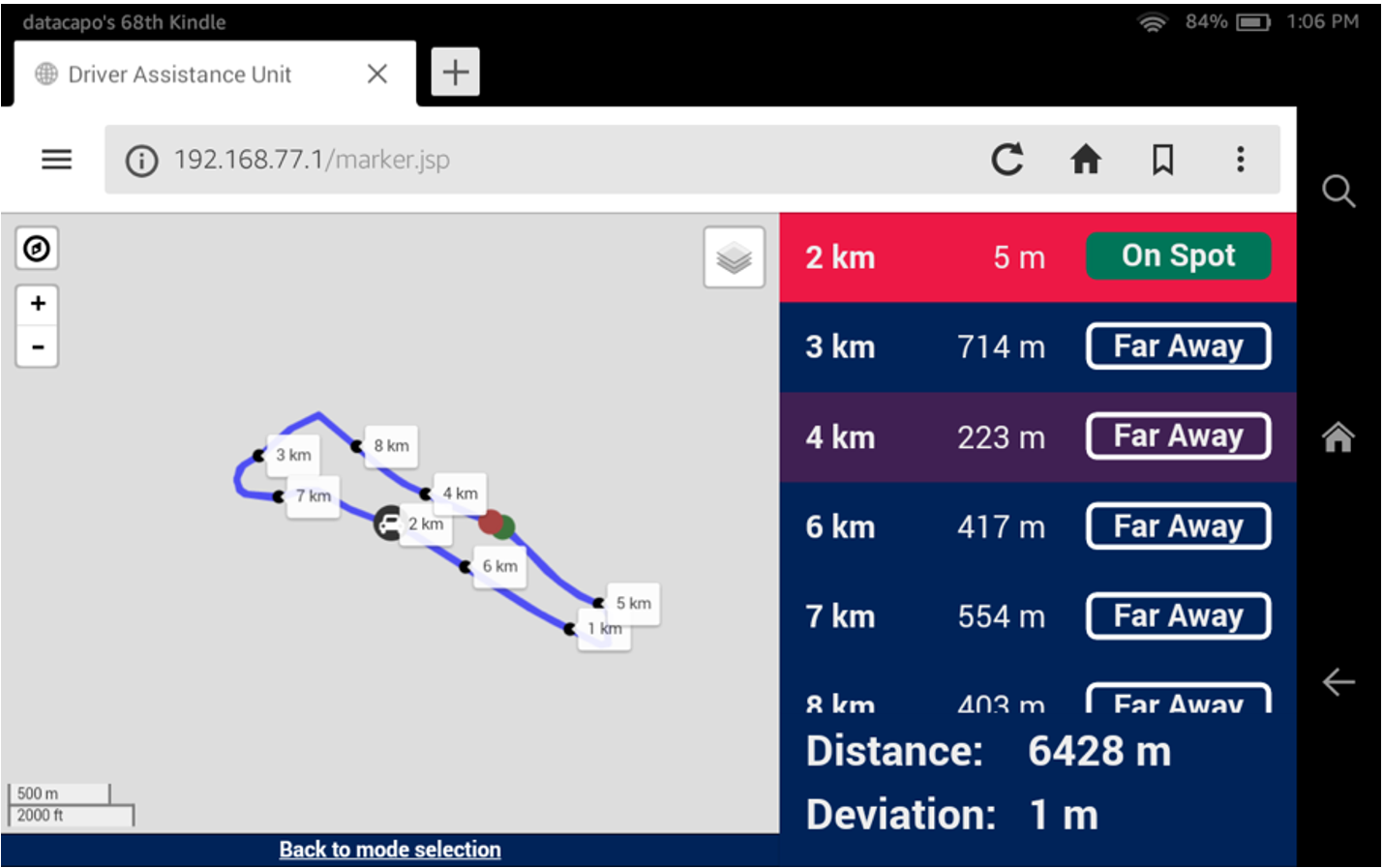 The DAU then shows the nearest split point and gives information of the corresponding status of the actual distance:
- Far away
- Close
- On Spot
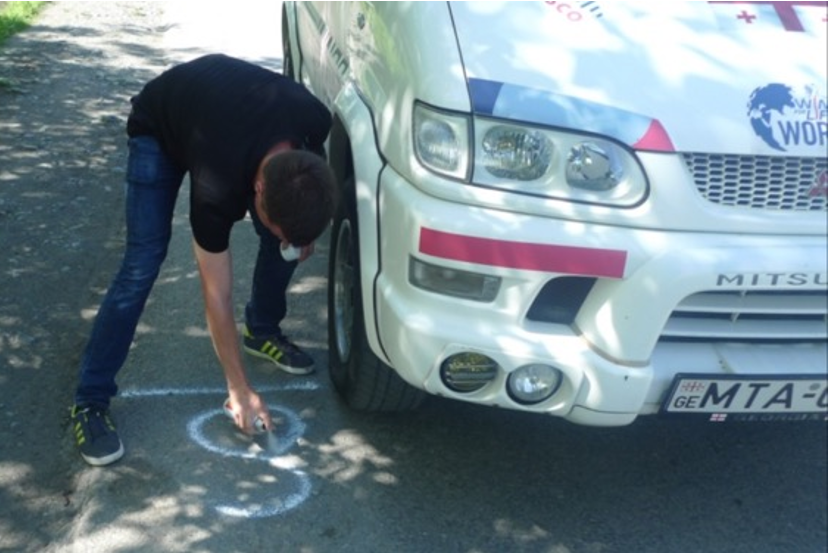
If the DAU says “On Spot”, stop the car and set the marking (It’s possible that the ‘m’ count exceeds, for example, 5010m on 5k spot. This is because we ensure the accuracy of the course markers, and no participant can have a result shorter than the last confirmed marker).
If your track is not linear but a circuit, markings for round two and round three may be on equal spots. If it is not possible for the local Red Bull teams to put their signs on the same position, they may deviate three to five meters. You can set the markings in any order, but you must go through the whole course at least one time otherwise it cannot be checked if the track is correct.
If the deviation shows more than 25m while you are on track, please contact Race Control as the track might be different. If a track change is made, ALL marks that have already been set after the point of the mistake must be set again.
Therefore please also check if the start position of the race is set correctly BEFORE you start setting the KM marks.
Work carefully to avoid problems or complaints!
Ideally you stop the car at the right spot and set the marking in front of the car.
4.4 Bib handout
The exact time and date of the bib handout may be different in each location. One member of the timing team should be at the Helpdesk permanently from Friday.
You can handle and change data if necessary. Also, you can register new athletes with the online interface of the Race Management System (RMS). The local Red Bull teams are also able to use the RMS.RMS.
Make sure you have a reliable connection to the internet! Local Red Bull teams must provide a notebook and an opportunity to connect to the internet (LAN, WiFi…).
Do not use our LTE sticks or mobiles to create a hotspot! Our SIM cards only have a small data volume which should not be used before the race.
All changes of data and every new registration should be entered in the RMS before the race starts!
Wheelchair Tags (Label)
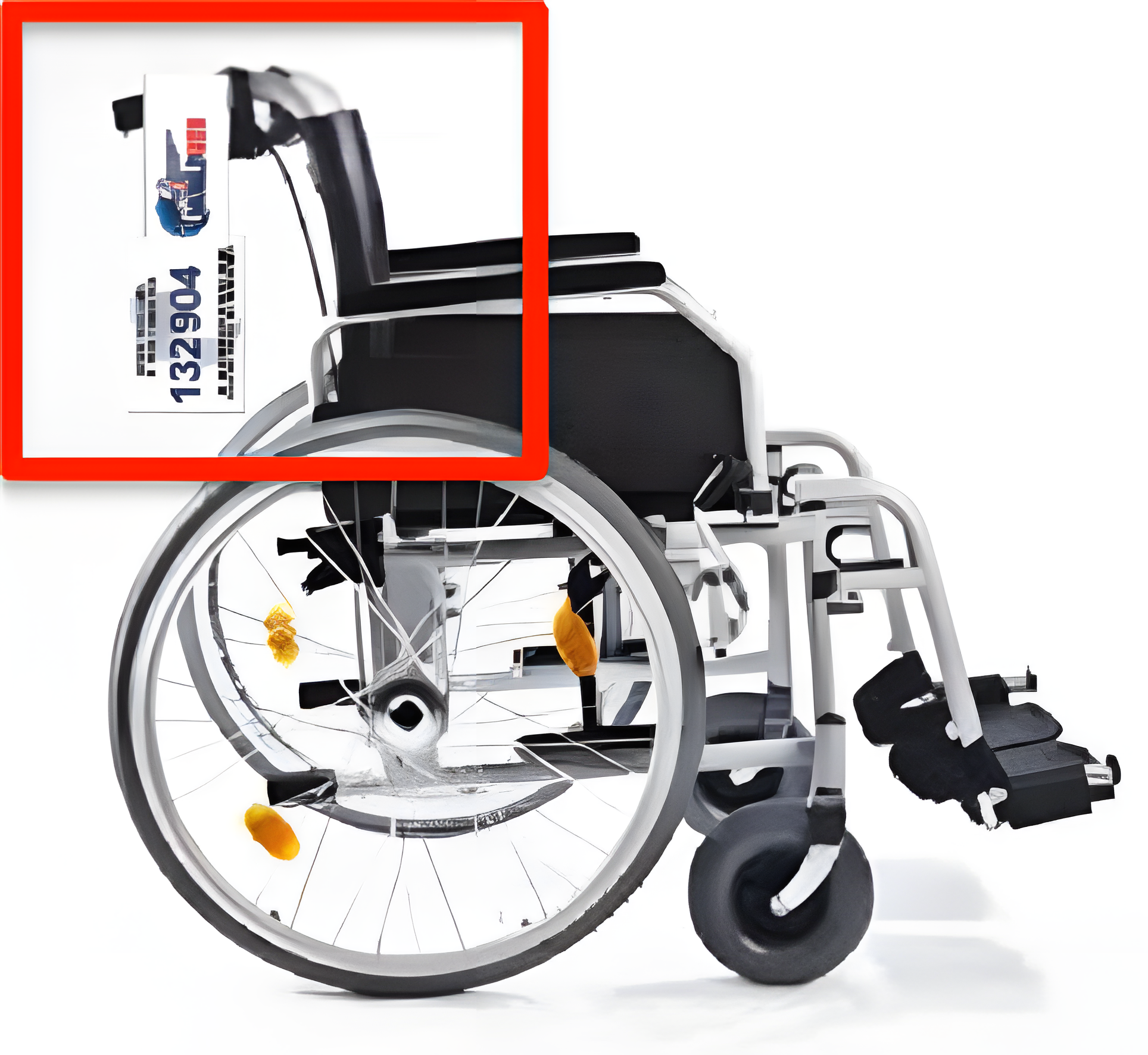
There are also athletes in wheelchairs starting in the race. They receive one normal bib with tags and an additional tag for their wheelchairs because this improves their chances of being detected by the Catcher Car (the normal bib is often obstructed by wheelchair users leaning forward).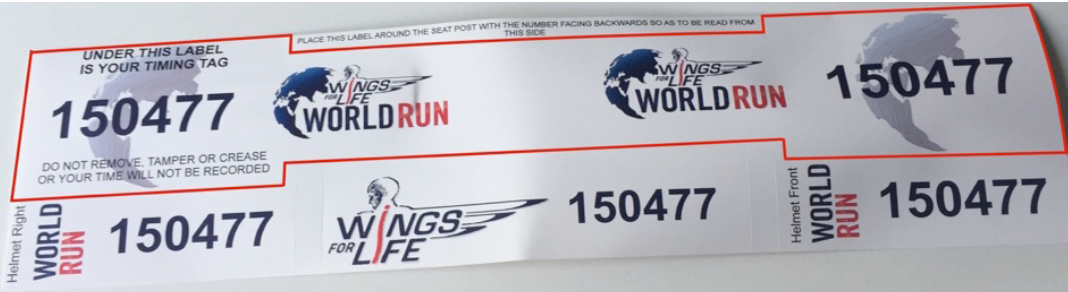 Wheelchair tags must be mounted vertically (picture). Check, if they are fittedthe right way.
4.5 Catcher Car Setup
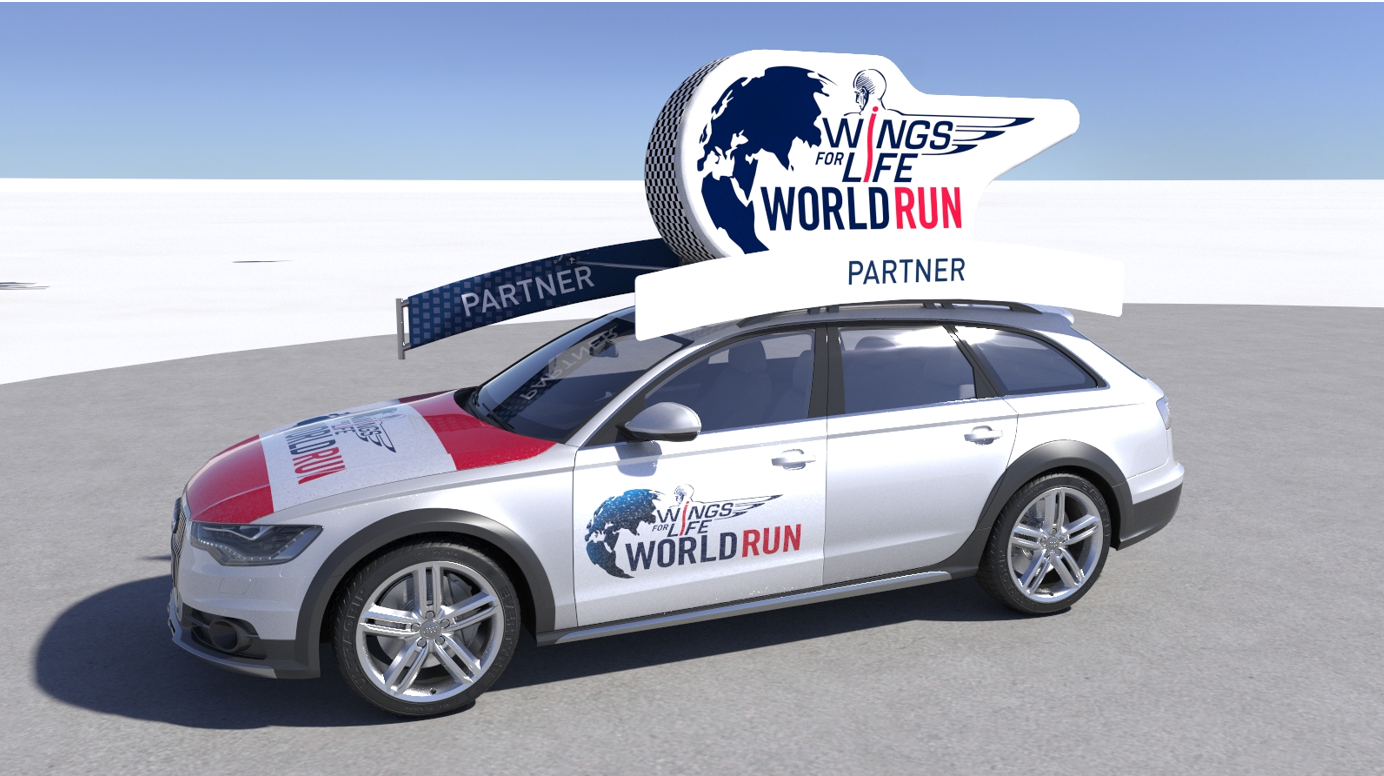
Here you can find a detailed video for the setup of the roof construction:
(Notice: The Video show the old setup! The roof construction is still the same as in the video only the fiberglass rods and the Lycra got replaced)
https://www.youtube.com/watch?v=ea7yZnLuxQ8
- The Flashpoints should be fixed at the outside of the car:
- One at the front and one at the back in a height of 1.5 m
- The Flashpoints should be fixed horizontally because the tags of the participants are vertically oriented, make sure the screws of the flashpoints are tight
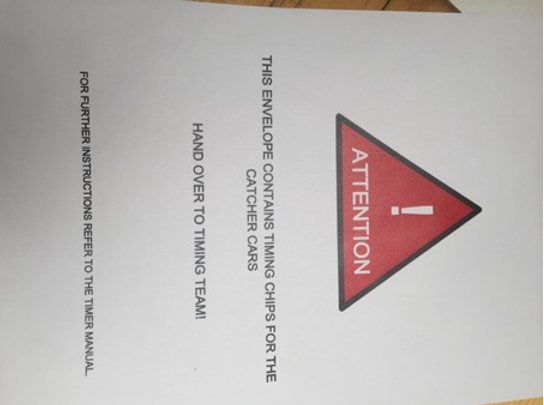
- Place the “Catcher Car Tags” on the car
- You should have them already in your Equipment (see
picture)picture below) - Place 2 tags on each Catcher Car; in the best case the Flashpoints of the Catcher Car do not read them but they can be read from the split points
- The tags have to be fixed vertically on the cars
- Good places are the window or the headlights
- DO NOT attach them to a metal surface
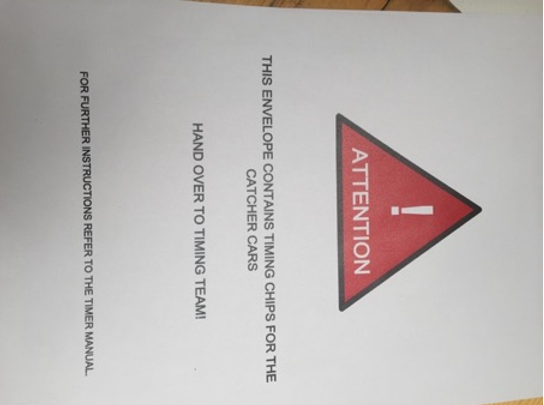
- You should have them already in your Equipment (see
Next steps:
- Synchronize the time of the controllers and the OBUs
-
IMPORTANT: Do not change anything at the setup after the Time Sync! Please don’t remove any cables anymore from the OBU, the devices must stay in the cars fully setup.
- The MiniTracks for the Catcher Cars should be configured to Immediate–Mode
(Menu “3-3-2”)- This guarantees that you can see all information on the OBU without any delay
- Connect Flashpoints to the MiniTrack with black coaxial cable (affix the cable to the roof construction)
- Put GPS receivers
andwithsatellite modem withUSB extensioncablecables on the platform on the roof construction (the magnet fix isn’t enough; additionally, use tape or cable ties(cable ties in the equipment)) - Bring the cable from the outside to the inside of the car through the back window on the passenger side (left-seat driver: through right-side window, right-seat driver: through left-side window)
Please make sure that there is enough space between the antennas on the platform. Do not turn off the MiniTracks once they are time synchronized. Otherwise, they will lose the time again.
4.6 Official Time and Countdown
As a timer you are responsible for the official time. Every clock or countdown should run the same time as the OBU does.
Please make sure that also the DAU is synced to the correct and same time as the OBU!
Determine how you will inform the local Red Bull team about the countdown and the start of the race.
Please make sure that they are not using other devices that are not synced with our system! They need to use the DAU Time for the countdown and race start!
If the start of the race should be delayed in your location for more than 5 minutes it’s possible that the Race Control will decide to remove this location from the global ranking because otherwise the live results would be based on wrong information. In this case the location will only get a local ranking. Race Control will explicitly inform you in such a case.
4.7 System Setup and Handling
You are responsible for setting up everything correctly and working on Race Day!
4.8 Biker Briefing
The bikers, which carry the leader devices, should get a briefing with detailed instructions about the tasks they’re responsible for.
They are not allowed to switch around the leader tracker phones without the Race Control’s knowledge and approval! Most important, the leader tracker for leading man/woman/wheelchair, must stay always with the leading participant, no matter if he has other tracker devices with him.
Please make sure that you explain the following aspects to them:
|
Explain the tracking app à how they can change the start numbers of the leading athlete(s). |
|
|
One biker always rides next to the leading athlete (phone with “tracking” username). The other biker stops at certain points to input the start number of the leading athlete(s) in the app (phone with “number” username). |
|
|
Please explain that it’s very important to correctly type in the start number! |
|
|
Through the first 5KM of the race, there may be constant changes of the leading positions. You don’t have to edit every leading transition during that time. |
|
|
Don’t change any of the pre-settings. |
|
|
They need to use the Jabra Headset because they are already paired and tested with the device. If Redbull Local Team pushes them or you to use Philips Headsets (because Phillips is global sponsor), they need to wear them above the Jabra Headset. |
|