
Timelines
6 TIMELINES WFLWR
6.1 Days befor the race - Thursday
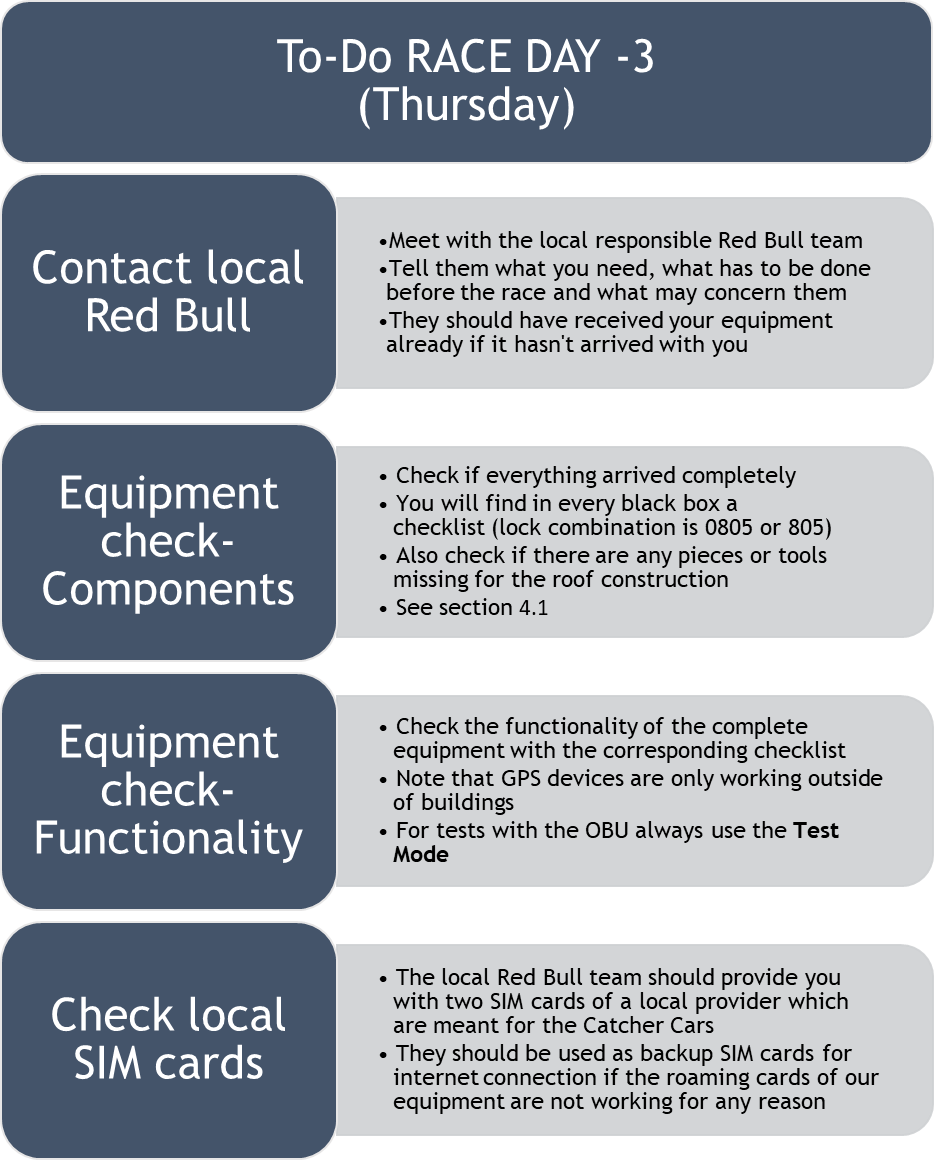
6.2 Days Befor the race - Friday
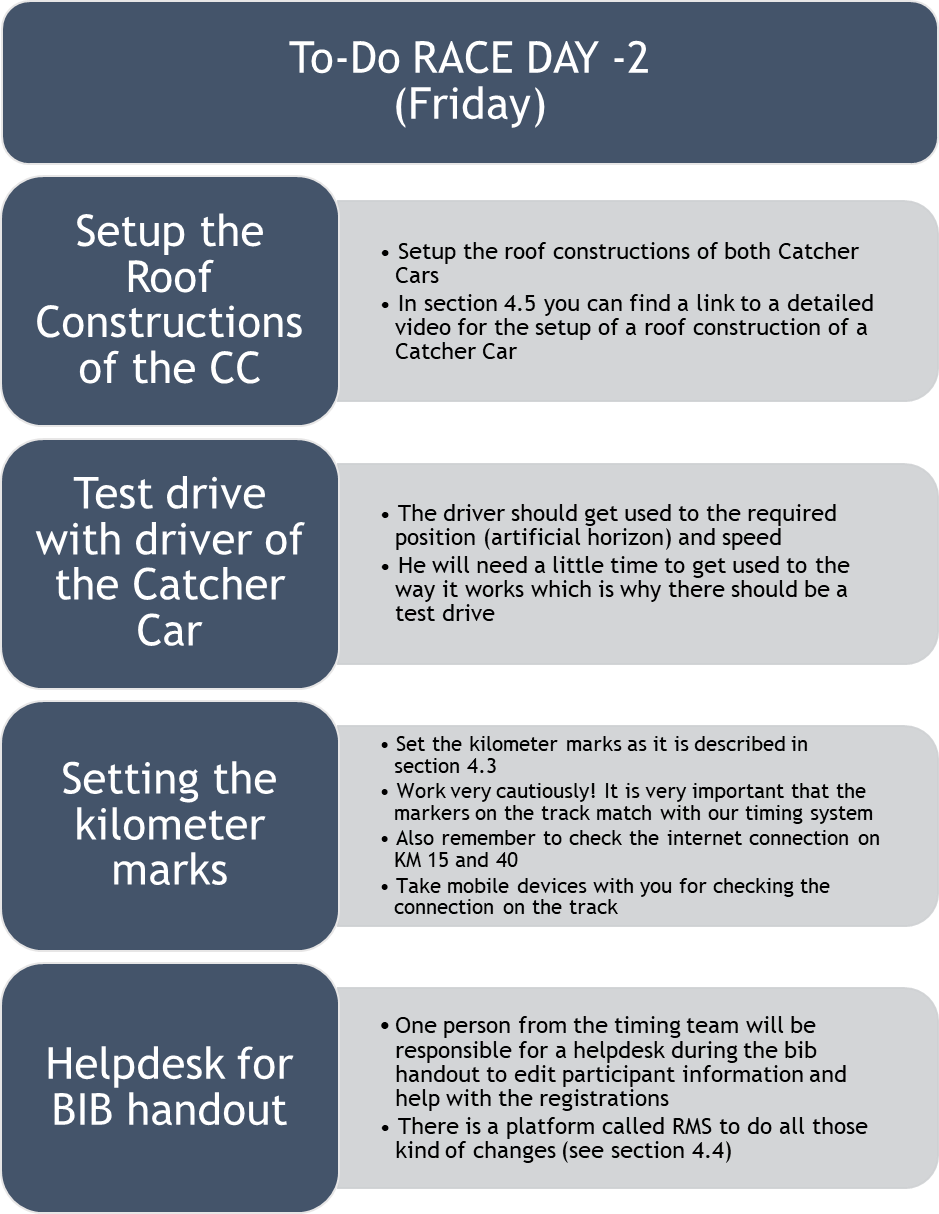
6.3 Days Befor the race - Saturday
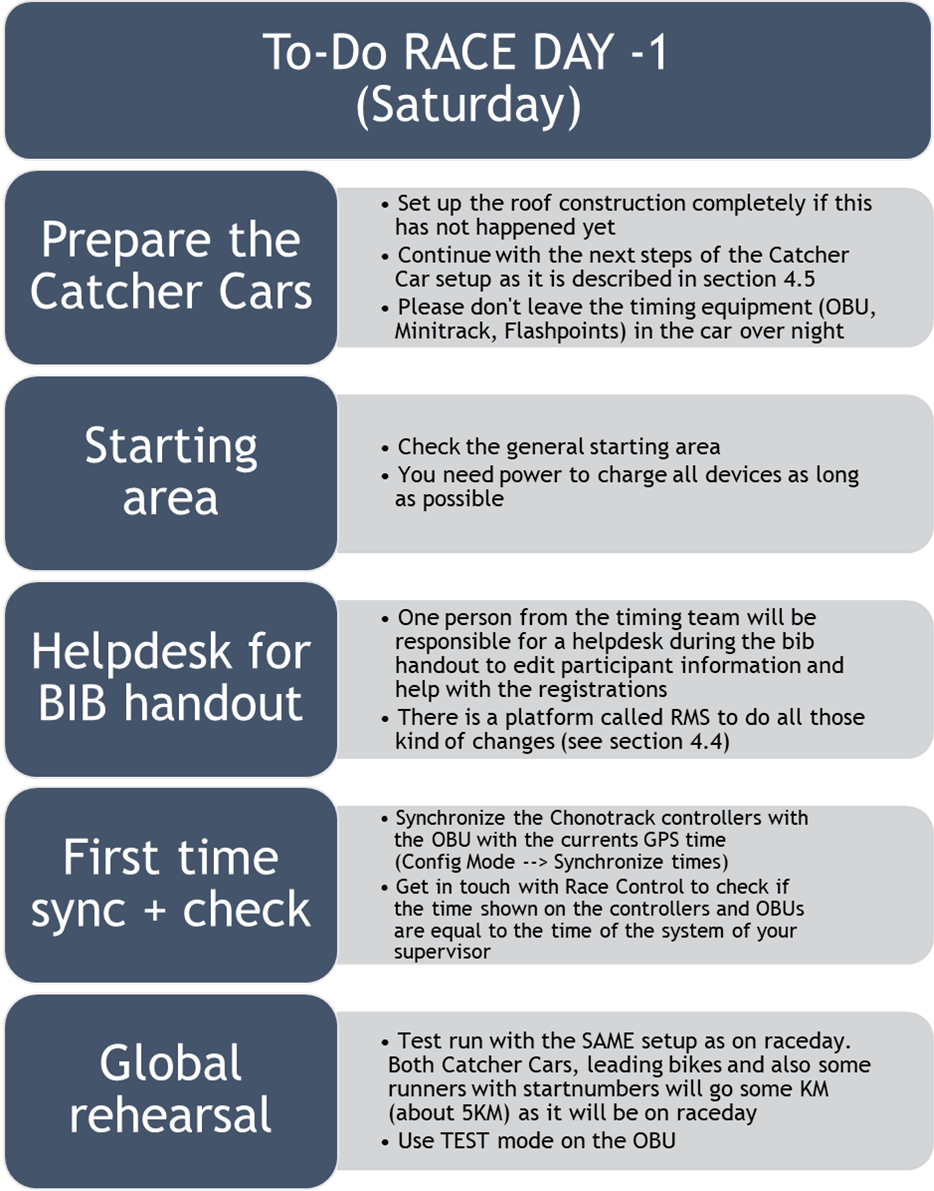
6.4 Race Day - Pre-Race
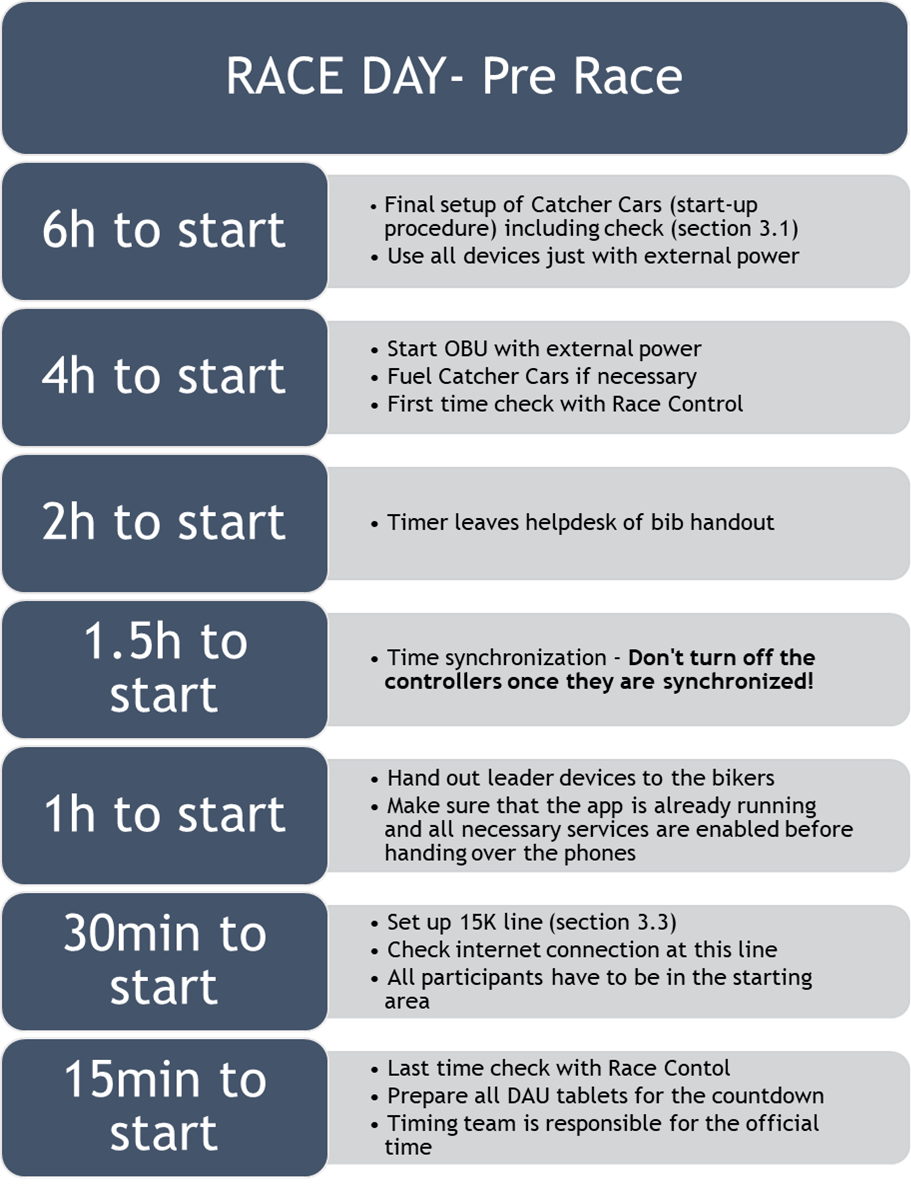
-
Check if all batteries are fully charged (OBU, leader devices, controllers)
-
Take all batteries with you if battery change is necessary!
-
One hour before start: switch OBU into Race Mode and select car position (main/backup)
-
Tracking mobiles should be pre-set when you hand over to the bikers and tracking should already be turned on.
-
Did you make a time synch with every controller? -> current GPS time available?
6.5 During the race
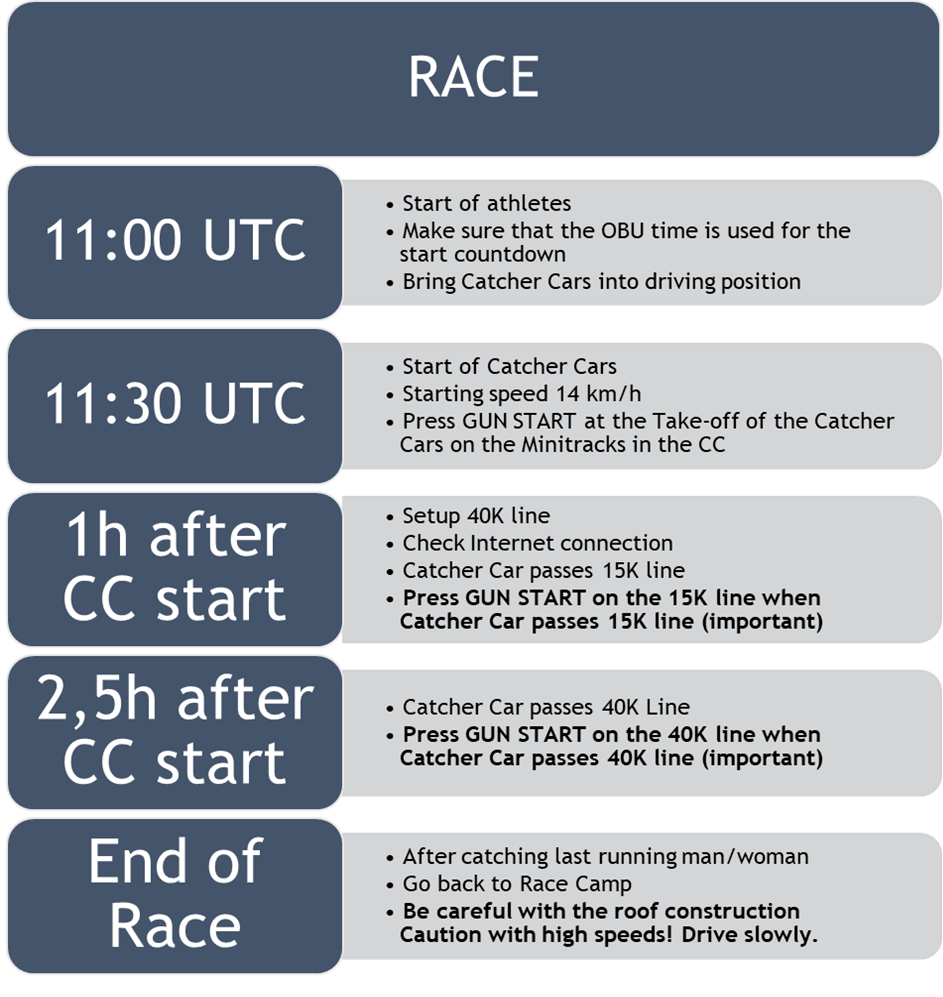
Tasks:
| Change batteries if necessary | |
| Press “Leading woman overtaken”, whenever leading woman was passed (on the OBU) | |
| Press “Leading man overtaken”, whenever leading man was passed (on the OBU) | |
| Press “Race over”, when the last person is caught (BIB of leader is shown on the OBU) |
- Please try to enter all race numbers of passed participants manually after 44K (won’t be that many). The system will prefer the RFID reads over your manual entries but if we miss some participant, we can use these manual times as a backup.
- On Race Day don’t take any bib numbers with you and keep them away from the Catcher Cars and the lines.
- If you notice any wrong bib read (e.g. you inadvertently took a bib with you into the Catcher Car) please immediately notify your supervisor so Race Control can delete the wrong number.
- Tell us the bib number of the winner – please tell us the number you have seen and not the number shown on the OBU.
- Get in touch by telephone or the OBU Chat to your supervisor if there are any concerns if necessary.
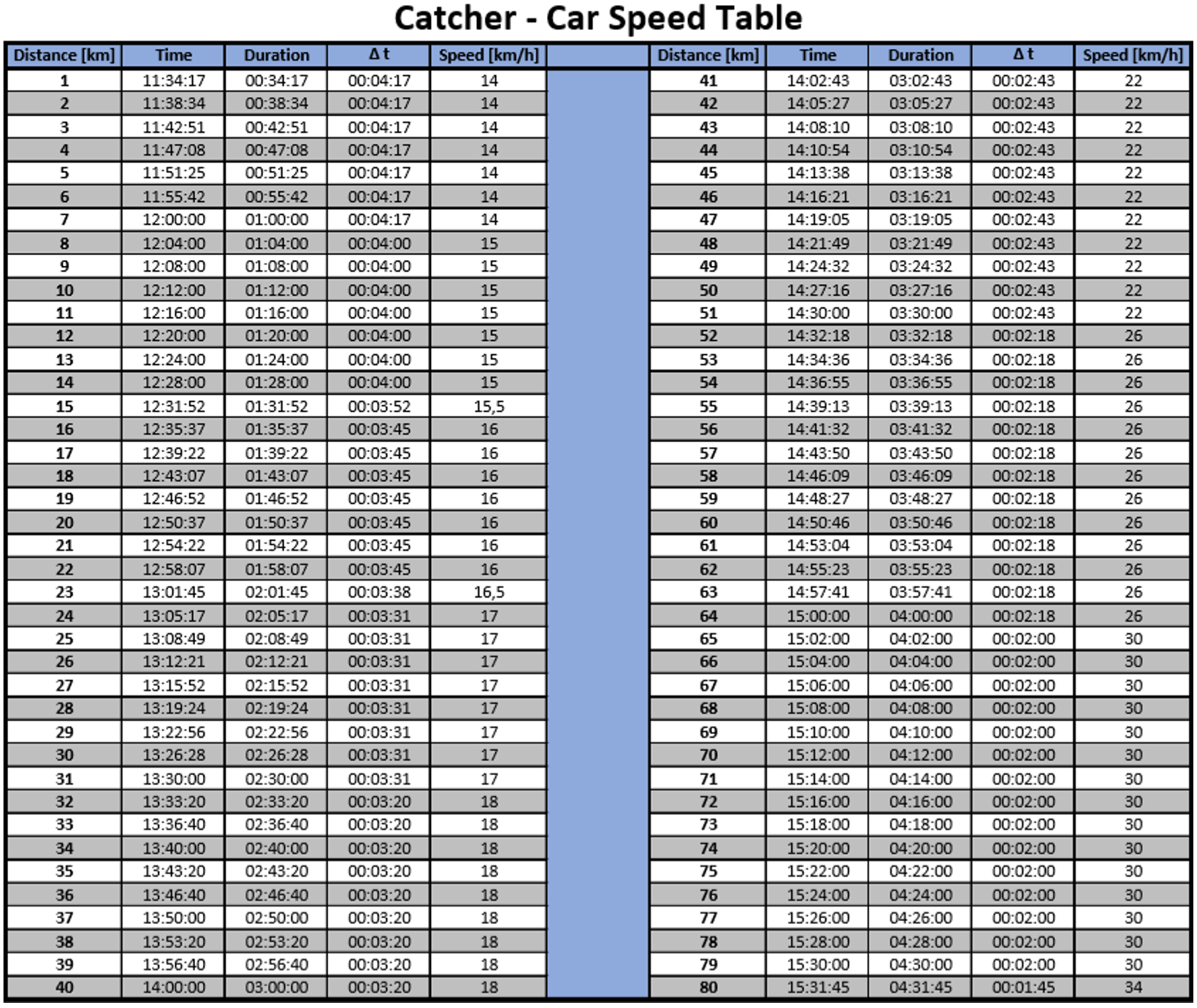
The following table shows the speed the Catcher Car should be going during the race and when the cars should be at which distance.
Use it if you have problems with the DAU, it should be in the CCs.
6.6 After the Race
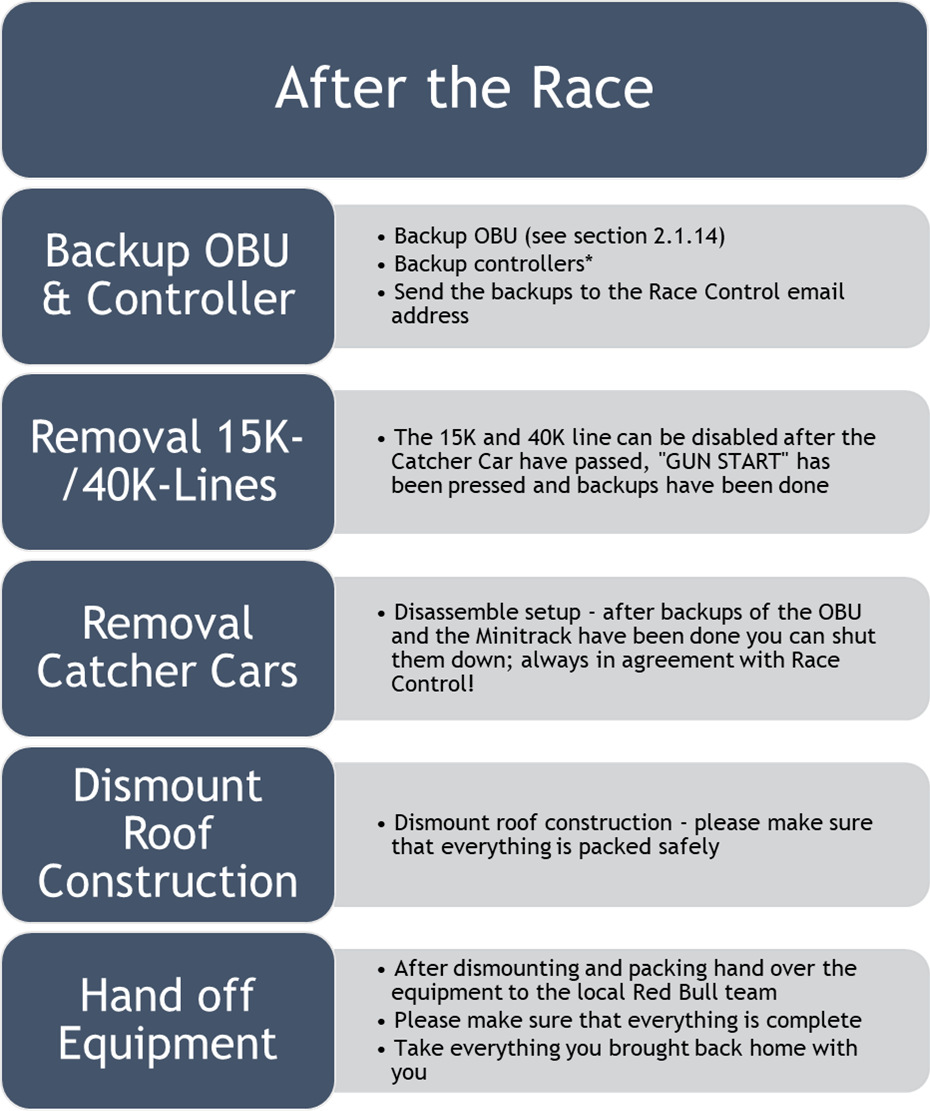
*Backup Minitrack:
Insert USB drive Menu Tools File Copy All Files (Menu “3-2-2”)